redesign & development of key signposting page

AISafety.com/events-and-training is the most visited page on the site, and a vital resource for signposting people who are newly interested in exploring the field, as well as people looking for professional opportunities.

collaborators

Melissa Samworth

Melissa Samworth

Designer / front-end developer

Bryce Robertson

Bryce Robertson

Product manager

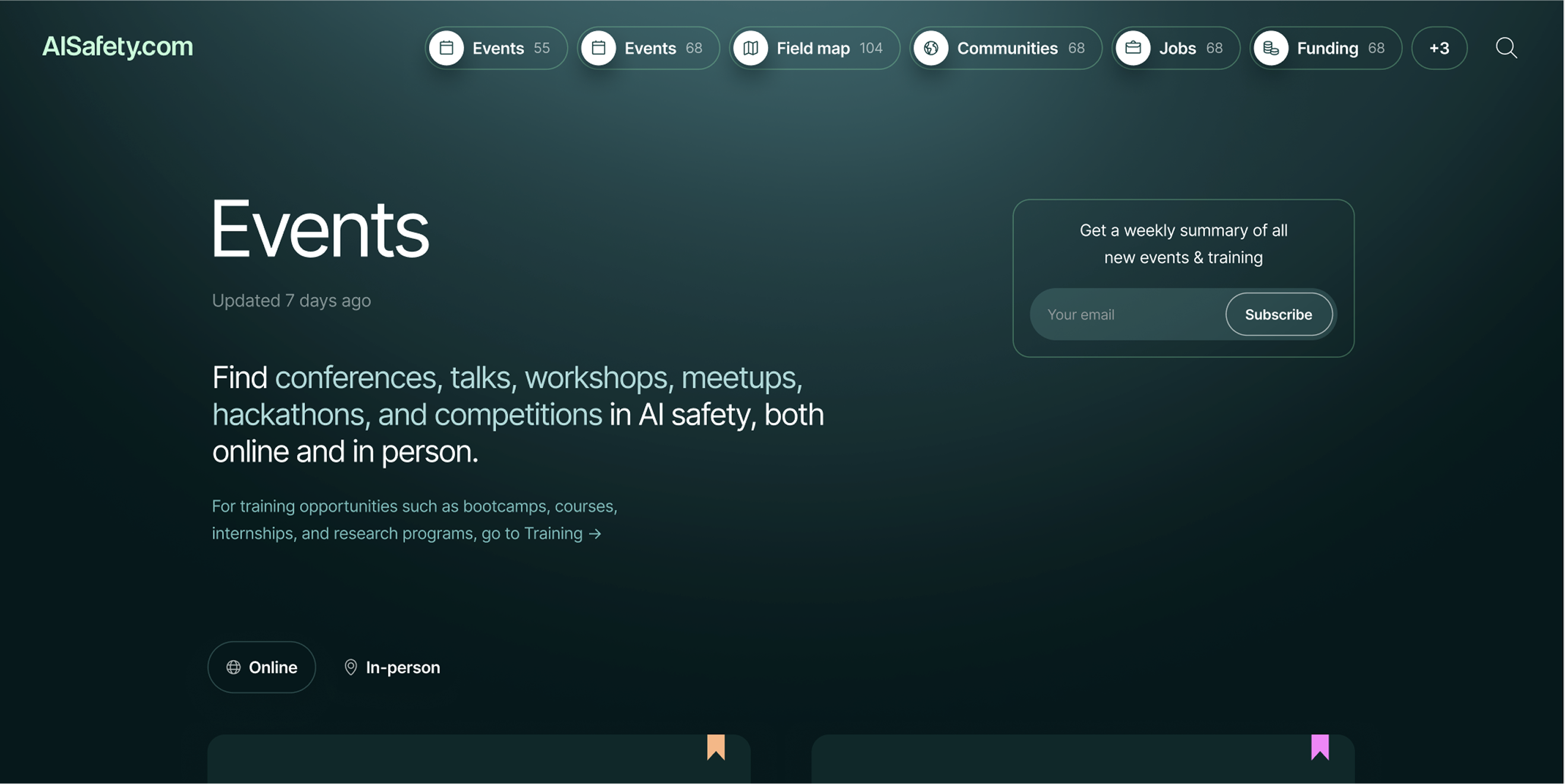
Screenshot of the redesigned AISafety.com events and training page

uncovering pain points

The page consisted of an Airtable database embedly directly onto the page and invisible filters, meaning users couldn't find events and training programs they would consider attending or applying to.

To uncover less obvious pain points that users were having, I wrote a user testing script and recruited four participants from the two user groups that are likely to use the page most.

Three person silhouettes representing Orienter users

Orienters

early-stage in their interest in AI safety, building a mental model of the field

Person silhouette representing Explorer user

Explorers

looking for specific opportunities in the field such as jobs

7 key findings

  1. The page is overwhelming for orienters and invisible content causes drop-off
  2. Category labels are unclear to orienters
  3. Location filtering is a critical unmet need for orienters and explorers
  4. The Airtable embed creates significant UX friction
  5. Application status accuracy and data freshness are essential for creating trust
  6. Key decision information is missing from listings
  7. Users are not using filters for various reasons

Beyond these findings, the team sent me various pieces of feedback they had collected, and I used Claude to bring together all of the findings into a Design Requirements document which could be referred to throughout the design process.

data-driven design

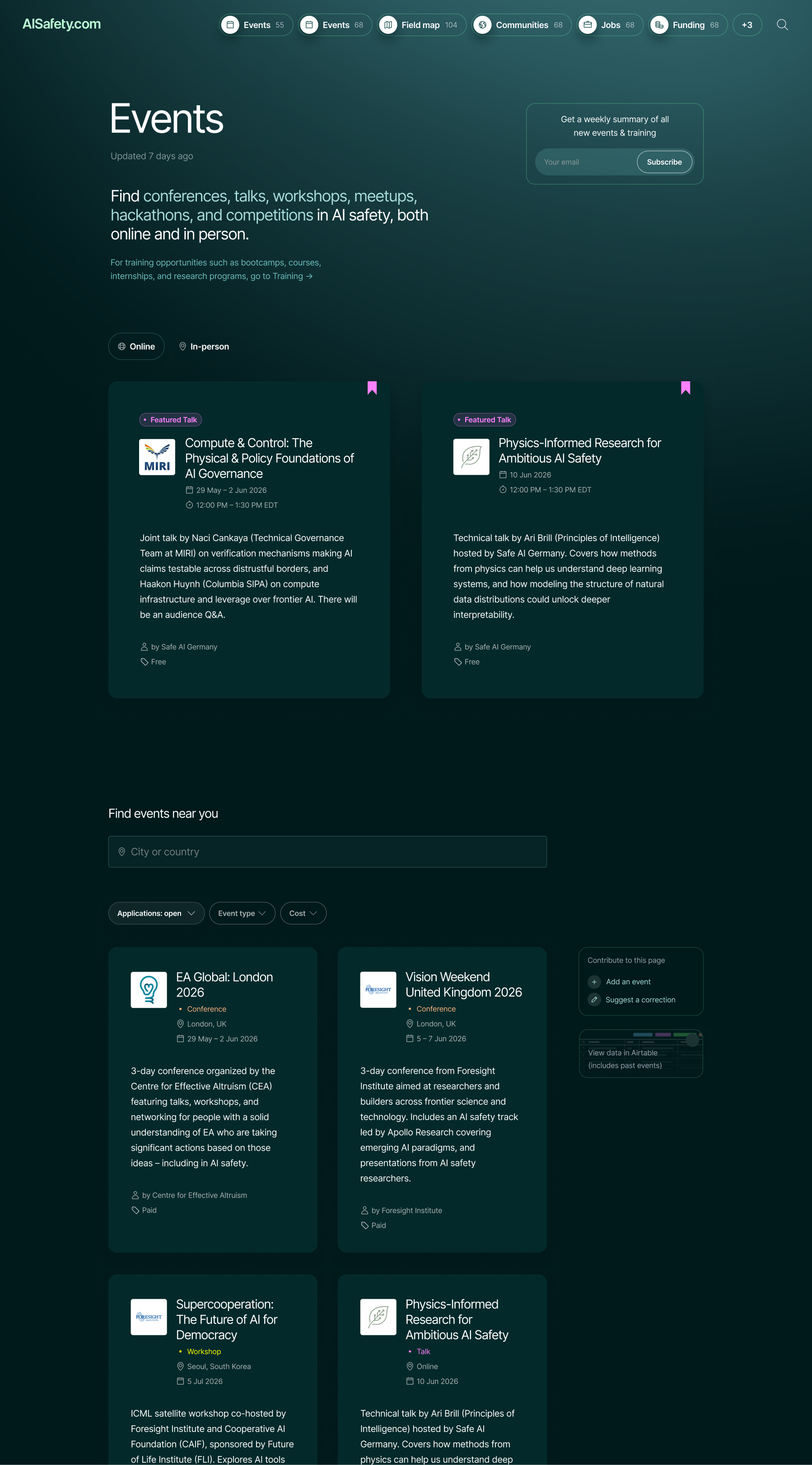
The hero section tells users what they can expect to find on the page and includes a link to the training page which was previously combined with this one.

Improved newsletter form so that users don't need to click away from the page to sign up.

Cards from the site's existing design system that include key practical information, with a simplified event category taxonomy that reduces confusion.

Featured events for orienters to reduce overwhelm and help with building a mental model of the field.

Search and filter that prioritise location and application status, found to be most important in user interviews.

Less prominent CTAs are deprioritised and placed in the sidebar, allowing power users to find them without distracting first-time visitors.

Event types are colour-coded, making it easier for users to find what they're interested in.

Full-length screenshot of the redesigned events and training page
"Emily worked with me and the team at AISafety.com to bring a massive upgrade to our most viewed page, Events and training. She independently conducted important user research, and brought ideas and vision to the product — all the while, really open to feedback, and flexible. I look forward to seeing the impact she can bring to the EA space using a user-centred and data-driven lens!"
Melissa Samworth

Melissa Samworth

Designer / front-end developer, AISafety.com

"Emily led the redesign of one of the resource pages on AISafety.com. Her communication was excellent, she collaborated well with our existing designer, and the end result was a page dramatically better than the original. I hope we can work together again in the future."
Bryce Robertson

Bryce Robertson

Product manager, AISafety.com

live page coming soon with the help of Claude Code